Register
Last updated 23 October 2026
Much of gliding.net.nz can be used without logging in, but you need an account for tasks such as:
- Querying or modifying the membership database
- Sending email
- Managing events
This guide walks you through creating your account end to end. It takes about five minutes.
Step 1 — Open the Register form
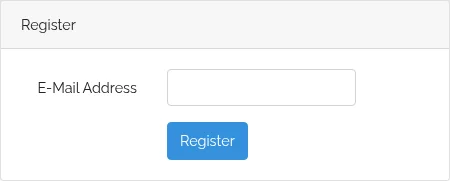
Go to https://gliding.net.nz and click Register in the top-right of the page.
Step 2 — Enter your email address
Use the same email address you gave your club when you signed up for membership. If you use a different one, the system can't match your account to your membership record.
Click Register to submit.
Step 3 — Check your inbox
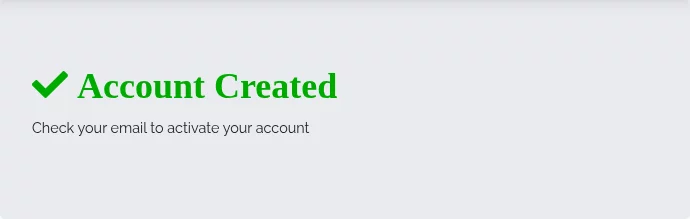
You'll see a confirmation message, and a verification email will land in your inbox shortly.
If the email doesn't arrive within a few minutes, check your spam folder.
Step 4 — Activate your account
Click the link in the verification email. It opens an Activate your account form. Fill in your name, mobile number, and a password.
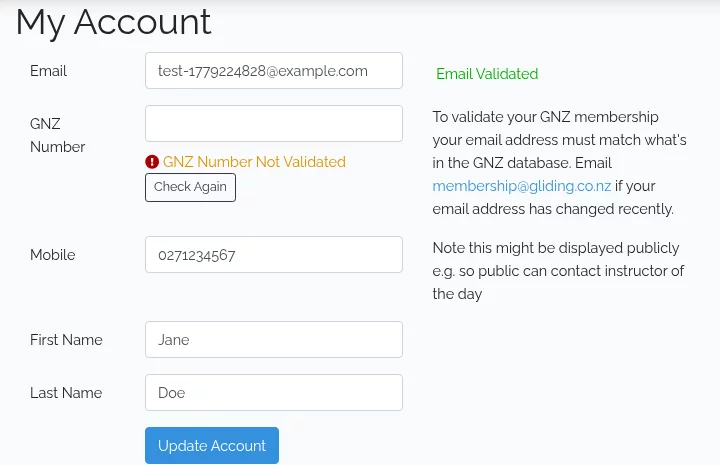
Your GNZ Number associates the account with your membership record. Enter it now if you know it — otherwise you can add it later from your account settings. The association only completes when the email address on your account also matches the one your club holds for you — see your account and your membership record.
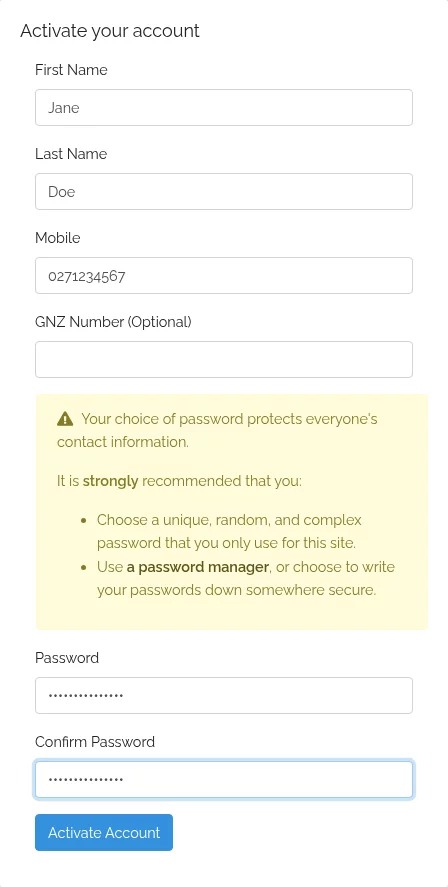
Click Activate Account to finish.
Step 5 — You're in
You'll be redirected to My Account, logged in and ready to go. Your email is marked Email Validated once activation is complete.